Featured

Deploy OpenClaw in 60 seconds — 20% off logoDeploy OpenClaw in 60 seconds — 20% off

Launch OpenClaw on Hostinger in about 60 seconds and keep your agent live 24/7. Our referral link gives you 20% off, no coupon code needed.

Launch on Hostinger
Run your Hermes agent on Hostinger, fully managed logoRun your Hermes agent on Hostinger, fully managed

Launch Hermes on Hostinger in one click, fully managed, no VPS knowledge needed. Use code ZACAARON10 for 10% off.

Launch on Hostinger
Crawl and scrape any site into clean data, 10% off logoCrawl and scrape any site into clean data, 10% off

Firecrawl crawls and scrapes any site into clean markdown for your agent. Get 1,000 free credits, and new users get 10% off their first purchase.

Try Firecrawl free
6,000+ web scrapers for your AI agent, start free logo6,000+ web scrapers for your AI agent, start free

Apify gives your agent live web data: 6,000+ prebuilt scrapers and actors, MCP-ready. Sign up free with $5 in usage credits.

Try Apify free
One API to scrape, enrich, and extract the internet. logoOne API to scrape, enrich, and extract the internet.

Context.dev gives your agents a single API to scrape, enrich, and extract live web data — no proxies, no parsers, no maintenance.

Start building free
SetupClaw: done-for-you OpenClaw for founders & exec teams logoSetupClaw: done-for-you OpenClaw for founders & exec teams

White-glove OpenClaw for founders and exec teams (4–50+ employees): we install, harden, integrate your tools, and maintain it — secured from day one.

Get it set up for you
SEO data APIs for your agent, $1 free credit logoSEO data APIs for your agent, $1 free credit

DataForSEO gives your agent live access to SERP results, keyword data, backlinks, and on-page SEO data through one API. New accounts get a $1 credit, good for up to 20,000 keyword or backlink lookups.

Try DataForSEO free
Reach 48,000+ AI builders

A flat monthly placement in front of developers actively installing AI tools. No lock-in, cancel anytime.

Advertise here
OpenHarness logo

OpenHarness

philo-kim/openharness
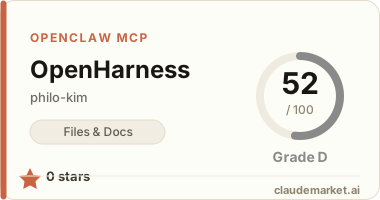
0 starsv0.1.1STDIORegistry activeUpdated 2026-03-17Community

Works with

Claude CodeClaude DesktopCursorVS CodeClineCodex CLIOpenClaw+ any MCP client

Install to Claude Code

claude mcp add openharness -- npx -y @freebird-ai/openharness

Summary

A local MCP server that discovers and shares session file paths between AI coding agents, enabling cross-referencing without modifying existing workflows.

Connect from your MCP client

One-click install

Add this server to your editor with a single click. Fill in any required credentials afterward.

Claude Code

Run this once and Claude Code registers the server for you:

claude mcp add openharness -- npx -y @freebird-ai/openharness

Claude Desktop

Add this to claude_desktop_config.json under Settings → Developer → Edit Config:

{
  "mcpServers": {
    "openharness": {
      "command": "npx",
      "args": [
        "-y",
        "@freebird-ai/openharness"
      ]
    }
  }
}

Cursor

Add this to .cursor/mcp.json in your project (or ~/.cursor/mcp.json for all projects):

{
  "mcpServers": {
    "openharness": {
      "command": "npx",
      "args": [
        "-y",
        "@freebird-ai/openharness"
      ]
    }
  }
}

Cline and other MCP clients

Most MCP clients accept the standard mcpServers JSON block:

{
  "mcpServers": {
    "openharness": {
      "command": "npx",
      "args": [
        "-y",
        "@freebird-ai/openharness"
      ]
    }
  }
}

Codex CLI

Register the server with OpenAI's Codex CLI — run this once, or add the equivalent block to ~/.codex/config.toml:

codex mcp add openharness -- npx -y @freebird-ai/openharness

# or add to ~/.codex/config.toml:
[mcp_servers.openharness]
command = "npx"
args = ["-y", "@freebird-ai/openharness"]

OpenClaw

OpenClaw reads MCP servers from the mcp.servers section of ~/.openclaw/openclaw.json (managed via `openclaw mcp add` or the mcporter skill):

{
  "mcp": {
    "servers": {
      "openharness": {
        "command": "npx",
        "args": [
          "-y",
          "@freebird-ai/openharness"
        ]
      }
    }
  }
}

README.md

OpenHarness

AI 코딩 에이전트의 최근 세션 파일을 찾아 서로 참조하게 해주는 로컬 MCP 서버.

전용 하네스 없이 하네스처럼 동작한다. 기존 도구 환경을 그대로 유지하면서, 에이전트 간 세션을 연결하는 디스커버리 레이어.

Supported Agents (MVP)

| Agent | Session Path | Format | |-------|-------------|--------| | Claude Code | ~/.claude/projects/ | JSONL | | Codex CLI | ~/.codex/sessions/ | JSONL | | Gemini CLI | ~/.gemini/tmp/<hash>/chats/ | JSON |

Prerequisites

  • Each agent must be able to read local files directly.
  • OpenHarness only provides paths and metadata — it does not transform, relay, or store session content.

Install

npm install -g @freebird-ai/openharness
openharness init

This registers OpenHarness as an MCP server in each agent's config.

MCP Tools

get_agent_sessions

Returns recent session paths for all agents, filtered by project.

Input: ``json { "project": "/Users/me/my-app" } ``

Output: ``json [ { "agent": "claude-code", "path": "/Users/me/.claude/projects/-Users-me-my-app/session.jsonl", "format": "jsonl", "updatedAt": "2026-03-17T14:32:00Z", "matchedProject": "/Users/me/my-app", "matchedBy": "directory-name" } ] ``

get_agent_session

Returns the recent session path for a specific agent.

Input: ``json { "agent": "claude-code", "project": "/Users/me/my-app" } ``

Output: ``json { "agent": "claude-code", "path": "/Users/me/.claude/projects/-Users-me-my-app/session.jsonl", "format": "jsonl", "updatedAt": "2026-03-17T14:32:00Z", "matchedProject": "/Users/me/my-app", "matchedBy": "directory-name" } ``

Returns null if no session is found.

Project Matching

| Agent | Strategy | |-------|----------| | Claude Code | Project path escaped with - as directory name | | Codex CLI | Workspace field inside session JSONL | | Gemini CLI | Project path hash matching tmp/<hash>/ |

How It Works

User → Codex: "Review what Claude Code worked on recently"

Codex → OpenHarness MCP: get_agent_session({ agent: "claude-code", project: "..." })
Codex ← receives session path + metadata
Codex → reads the JSONL file directly and performs review

No rules needed in agent instruction files. MCP tool descriptions are enough for agents to use naturally.

Manual MCP Configuration

If you prefer to configure manually instead of using init:

{
  "mcpServers": {
    "openharness": {
      "command": "openharness",
      "args": []
    }
  }
}

Add this to your agent's MCP config file:

| Agent | Config File | |-------|------------| | Claude Code | ~/.claude/mcp.json or project .mcp.json | | Codex CLI | project .codex/ | | Gemini CLI | ~/.gemini/settings.json |

License

MIT

See related servers & alternatives →

Related MCP servers

Browse all →

Related guides

Hand-picked reading to help you choose and use Files & Docs servers.