




Featured

Deploy OpenClaw in 60 seconds — 20% off logoDeploy OpenClaw in 60 seconds — 20% off

Launch OpenClaw on Hostinger in about 60 seconds and keep your agent live 24/7. Our referral link gives you 20% off, no coupon code needed.

Launch on Hostinger
Run your Hermes agent on Hostinger, fully managed logoRun your Hermes agent on Hostinger, fully managed

Launch Hermes on Hostinger in one click, fully managed, no VPS knowledge needed. Use code ZACAARON10 for 10% off.

Launch on Hostinger
Crawl and scrape any site into clean data, 10% off logoCrawl and scrape any site into clean data, 10% off

Firecrawl crawls and scrapes any site into clean markdown for your agent. Get 1,000 free credits, and new users get 10% off their first purchase.

Try Firecrawl free
6,000+ web scrapers for your AI agent, start free logo6,000+ web scrapers for your AI agent, start free

Apify gives your agent live web data: 6,000+ prebuilt scrapers and actors, MCP-ready. Sign up free with $5 in usage credits.

Try Apify free
One API to scrape, enrich, and extract the internet. logoOne API to scrape, enrich, and extract the internet.

Context.dev gives your agents a single API to scrape, enrich, and extract live web data — no proxies, no parsers, no maintenance.

Start building free
SetupClaw: done-for-you OpenClaw for founders & exec teams logoSetupClaw: done-for-you OpenClaw for founders & exec teams

White-glove OpenClaw for founders and exec teams (4–50+ employees): we install, harden, integrate your tools, and maintain it — secured from day one.

Get it set up for you
SEO data APIs for your agent, $1 free credit logoSEO data APIs for your agent, $1 free credit

DataForSEO gives your agent live access to SERP results, keyword data, backlinks, and on-page SEO data through one API. New accounts get a $1 credit, good for up to 20,000 keyword or backlink lookups.

Try DataForSEO free
Reach 48,000+ AI builders

A flat monthly placement in front of developers actively installing AI tools. No lock-in, cancel anytime.

Advertise here

Works with

Claude CodeClaude DesktopCursorVS CodeClineCodex CLIOpenClaw+ any MCP client

Install to Claude Code

This server doesn't publish a one-line install command. Follow the setup in the source repository.

Summary

Fetches body composition data (weight, body fat percentage) from the Tanita Health Planet API and exposes it as MCP tools for AI agents like Claude Desktop.

README.md

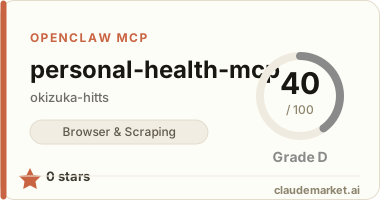
personal-health-mcp

タニタ ヘルスプラネット API から体組成データ(体重・体脂肪率)を取得し、MCP ツールとして Claude Desktop 等の AI エージェントに提供します。

セットアップ

1. インストール

pip install -e .

2. .env を作成

cp .env.example .env

.env を編集して HEALTH_PLANET_CLIENT_IDHEALTH_PLANET_CLIENT_SECRETHEALTH_PLANET_REDIRECT_URI を設定してください。

3. 初回認証

python -m health_mcp.tanita.auth

表示された URL をブラウザで開き、「アクセスを許可する」をクリック後、リダイレクト URL を貼り付けると .env にトークンが保存されます。

4. Claude Desktop に MCP サーバーを登録

claude_desktop_config.json に以下を追加してください。command には venv 内の Python 実行ファイルのフルパスを指定します。

Windows:

{
  "mcpServers": {
    "personal-health": {
      "command": "C:/Users/<username>/path/to/personal-health-mcp/venv/Scripts/python.exe",
      "args": ["-m", "health_mcp.server"]
    }
  }
}

macOS / Linux:

{
  "mcpServers": {
    "personal-health": {
      "command": "/path/to/personal-health-mcp/venv/bin/python",
      "args": ["-m", "health_mcp.server"]
    }
  }
}

cwd の指定は不要です。サーバーは __file__ を基点にプロジェクトルートを自動解決します。

MCP ツール一覧

| ツール | 説明 | |---|---| | get_latest_body_composition | 最新の体重・体脂肪率を取得(直近30日対象) | | get_body_composition | 指定期間(最大92日)の体組成データを取得 | | get_measurements_range | キャッシュ内データの日付範囲と件数を確認 | | get_profile | 生年月日・身長・性別を取得 | | list_available_metrics | 取得可能なメトリクス一覧を表示 |

プロフィールの再取得

タニタアプリでプロフィール情報を変更した場合:

python -m health_mcp.tanita.auth --reset-profile

開発

pip install -e ".[dev]"
pytest          # テスト
mypy src        # 型チェック
ruff check src  # リント

See related servers & alternatives →

Related MCP servers

Browse all →

Related guides

Hand-picked reading to help you choose and use Browser & Scraping servers.