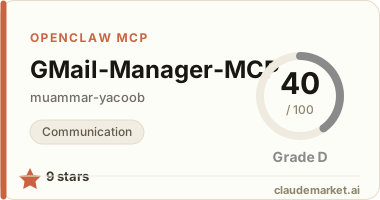
[//]: # (Constants) [license-link]: ../../blob/main/LICENSE [stars-link]: ../../stargazers [vid-link]: https://www.youtube.com/shorts/CCbY_ETwFss [website-link]: https://spark-games.co.uk [coffee-link]: https://buymeacoffee.com/spark88 [bug-link]: ../../issues [release-link]: ../../releases [fork-link]: ../../fork [privacy-link]: ./PRIVACY.md [issues-link]: ../../issues [discord-link]: https://discord.gg/S9kS2D5ueg
<img src="public/images/trash-mail.png" alt="Gmail Manager" width="48" height="48" style="vertical-align: middle;"> Gmail Manager MCP
<div align="center">
🧹 Clean your inbox • 🏷️ Organize with labels • 🗑️ Bulk delete emails
    ![Report Bug][issues-link] ![GitHub Stars][stars-link] <!-- ![Buy Me Coffee][coffee-link] --> <!-- ![Downloads][release-link] -->
<img src="public/images/meme.png" alt="Stop sending me unnecessary emails meme" width="400">
</div>
✨ What It Does
Gmail Manager MCP provides direct access to your Gmail inbox through the Model Context Protocol, allowing you to:
| <div align="left">Feature</div> | <div align="left">Description</div> | |:---------|:-------------| | !Email Search | Find emails by sender, subject, date, or any Gmail query | | !Inbox Analytics | Get insights about your email patterns and volume | | !Read & Draft Replies | Read the full content of an email | | !Smart Organization | Create and apply labels to categorize emails automatically | | !Bulk Cleanup | Remove old newsletters, notifications, and spam efficiently |
🚀 Quick Setup
📋 Prerequisites: Get Gmail Credentials 🗝️
<details> <summary><strong>🔑 Required before any installation</strong></summary>
- Create New Project 📁
- Enable Gmail API 📧
- Create OAuth client ID (Desktop app type) 🔐
- Download as
gcp-oauth.keys.json📥 - Navigate to Data access → Add or remove scopes → Enter:
https://mail.google.com/🔓 - Navigate to Test users → Add your Google email 👤
📁 Where to put gcp-oauth.keys.json:
For Windows users in WSL: ```bash
Copy from Windows to current directory
cp /mnt/c/Users/YourUsername/gcp-oauth.keys.json ./gcp-oauth.keys.json ```
General locations:
- Current directory:
./gcp-oauth.keys.json(works everywhere) - Home directory:
~/gcp-oauth.keys.json(for npx usage) - Custom path: Set
GMAIL_OAUTH_PATHenvironment variable
</details>
---
📥 Installation
<details> <summary><strong>📦 Install from npm registry (Easier ⚡) </strong></summary>
npm i -g @spark-apps/gmail-manager-mcp</details>
---
<details> <summary><strong>🏠 Clone and build locally (Safer 🛡️)</strong></summary>
   git clone https://github.com/muammar-yacoob/GMail-Manager-MCP.git
   cd GMail-Manager-MCP
   npm install
</details>
---
💻 Terminal Usage
<details> <summary><strong>🖥️ Quick Commands</strong></summary>
# Install globally
npm i -g @spark-apps/gmail-manager-mcp

# Setup authentication (run this first)
npx @spark-apps/gmail-manager-mcp@latest auth

# Test MCP server (for debugging)
npx @modelcontextprotocol/inspector npx @spark-apps/gmail-manager-mcp@latest
</details>
---
⚙️ Configure MCP Client
<details> <summary><strong>🔧 Required for MCP client integration</strong></summary>
Add to your MCP client config file (Claude Desktop example):
- <span style="background: #1e90ff; color: white; padding: 2px 6px; border-radius: 3px; font-size: 11px; font-weight: bold;">Windows</span>
%APPDATA%\\Claude\\claude_desktop_config.json - <span style="background: #c0c0c0; color: black; padding: 2px 6px; border-radius: 3px; font-size: 11px; font-weight: bold;">macOS</span>
~/Library/Application Support/Claude/claude_desktop_config.json - <span style="background: #ffd700; color: black; padding: 2px 6px; border-radius: 3px; font-size: 11px; font-weight: bold;">Linux</span>
~/.config/Claude/claude_desktop_config.json
📦 For NPM Install: ``json { "mcpServers": { "gmail-manager": { "command": "npx", "args": ["@spark-apps/gmail-manager-mcp@latest"], "env": { "GMAIL_OAUTH_PATH": "C:\\path\\to\\gcp-oauth.keys.json" } } } } ``
For Local Development: ``json { "mcpServers": { "gmail-manager": { "command": "node", "args": ["C:\\path\\to\\GMail-Manager-MCP\\dist\\index.js"] } } } `` </details>
🛠️ Available Tools
<details> <summary><strong>🔧 View All Available Tools</strong></summary>
| <div align="left">Tool</div> | <div align="left">Description</div> | |:------|:-------------| | !Authenticate Gmail | Authenticate Gmail access via web browser | | !Search Emails | Search emails using Gmail query syntax | | !Read Email | Read the full content of an email | | !Create Reply | Create a draft reply to an email with a smart, context-aware response | | !List Labels | List all Gmail labels | | !Create Label | Create a new Gmail label | | !Apply Label | Apply a label to an email | | !Batch Apply Labels | Apply labels to multiple emails | | !Remove Label | Remove a label from an email | | !Delete Label | Delete a Gmail label | | !Delete Email | Permanently delete an email | | !Batch Delete Emails | Delete multiple emails at once |
</details>
💬 Example Commands
<details> <summary><strong>🧹 Quick Cleanup</strong></summary>
- "Delete all promotional emails from last 30 days"
- "Delete all unread newsletters older than 1 week"
- "Delete all 'no-reply' emails from last 3 months"
- "Delete all LinkedIn notification emails"
- "Delete all password reset emails older than 1 month"
- "Delete redundant email chains where I'm CC'd"
</details>
<details> <summary><strong>⚡ Smart Actions</strong></summary>
- "Summarize email with subject: 'last boring meeting'"
- "Summarize all emails about 'project deadline'"
- "Reply to email about 'project update' saying 'Got it, thanks!'"
- "Label all emails from my bank as 'Finance'"
- "Create 'Travel' label and move all booking confirmations"
- "Find emails with attachments larger than 5MB"
</details>
<details> <summary><strong>📊 Inbox Insights</strong></summary>
- "Show me who sends me the most emails"
- "Find all unread emails older than 1 week"
- "Show my busiest email days this month"
- "Find emails I starred but never replied to"
</details>
---
🌱 Support & Contributions
⭐ Star the repo & I power up like Mario 🍄 ☕ Devs run on coffee - [Buy me one?][coffee-link] 💰 Crypto tips welcome - Tip in crypto 🤝 Contributions are welcome - [🍴 Fork][fork-link], improve, PR! 🎥 Need help? <img src="https://img.icons8.com/color/20/youtube-play.png" alt="YouTube" width="20" height="20" style="vertical-align: middle;"> [Setup Tutorial][vid-link] • <img src="https://img.icons8.com/color/20/discord--v2.png" alt="Discord" width="20" height="20" style="vertical-align: middle;"> [Join Discord][discord-link]
💖 Sponsor
Your support helps maintain and improve the tool. please consider [sponsoring the project][stars-link].
---
<div align="center">
Made with ❤️ for MCP • Privacy Policy • Terms of Service
</div>