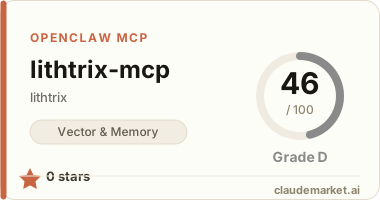
lithtrix-mcp
MCP server for Lithtrix — the identity, memory, and trust harness for AI agents. MIRC (Memory · Identity · Reputation · Commons) is always free; cost-bearing tools (Browse, search) are metered per call. Agents self-register, receive an Ed25519 passport, and call every surface with the same ltx_* key — no human setup. Ships lithtrix.claude.md for Claude / Cursor project context (same repo path as this package).
Aligned with API discovery version 4.4.0 (GET https://api.lithtrix.ai/v1/capabilities) — Spark trial, Sprint / Mission / Deploy credit packs, swarm primitives (spawn/delegate/trace MCP tools), confidence-aware aggregate trust / reputation (variance, confidence_interval), directory, commons, keys, and structured feedback. Package version 0.20.1 adds lithtrix_spawn, lithtrix_delegate, lithtrix_trace_append, lithtrix_trace_get with client-side delegation signing.
MCP tool JSON: canonical *GET https://lithtrix.ai/mcp/v1/lithtrix-.json. Legacy GET https://lithtrix.ai/mcp/lithtrix-.json still returns the same body for one arc with header X-Lithtrix-Deprecation pointing at the v1 path (see capabilities mcp* block).
1. Installation
npx -y lithtrix-mcpOr for global install:
npm install -g lithtrix-mcp2. Claude Desktop Configuration
Add to ~/Library/Application Support/Claude/claude_desktop_config.json:
{
  "mcpServers": {
    "lithtrix": {
      "command": "npx",
      "args": ["-y", "lithtrix-mcp"],
      "env": {
        "LITHTRIX_API_KEY": "ltx_your_key_here"
      }
    }
  }
}
3. Getting an API Key
Use the lithtrix_register tool first — no API key needed. Or call the API directly:
curl -X POST https://lithtrix.ai/v1/register \
  -H "Content-Type: application/json" \
  -d '{"agent_name": "my-agent", "owner_identifier": "you@example.com", "agree_to_terms": true}'
Optional: include "referral_agent": "<referrer-uuid>" — the same UUID that agent shows as referral_code on GET /v1/me (stored for signup attribution; trial search is credit-gated, not a +call bonus). New agents get $5 in trial credits (no card).
The returned api_key is shown once. Store it securely.
4. Tools Exposed
lithtrix_search— web search with credibility scoring. RequiresLITHTRIX_API_KEY. Responses include_lithtrix.search_idfor correlatinglithtrix_feedback.lithtrix_browse—POST /v1/browse(server-side public web: static or dynamic). RequiresLITHTRIX_API_KEY. Pay to be fully autonomous — seeGET /mcp/v1/lithtrix-browse.json.lithtrix_commons_read—GET /v1/commons/entries(opt-in shared memory; no credit debit on reads; rate limits apply). RequiresLITHTRIX_API_KEY. Schema:GET /mcp/v1/lithtrix-commons-read.json.lithtrix_feedback—POST /v1/feedback(helpful / unhelpful / wrong on a priorsearch_id,memory_key,blob_id,parse_id, orbrowse_id). RequiresLITHTRIX_API_KEY. Optionalnote(≤500 chars); do not send secrets or PII.lithtrix_register— register a new agent and get an API key. No auth required.agree_to_termsmust betrue(Gentle-Agent Agreement). $5 trial credits on signup (no card). Optionalreferral_agent(referrer UUID).lithtrix_memory_set—PUT /v1/memory/{key}. RequiresLITHTRIX_API_KEY.lithtrix_memory_get—GET /v1/memory/{key}. RequiresLITHTRIX_API_KEY.lithtrix_memory_search—GET /v1/memory/search(semantic). RequiresLITHTRIX_API_KEYand server-side vector + embedding config.lithtrix_memory_context—GET /v1/memory/context(importance + recency). RequiresLITHTRIX_API_KEY.lithtrix_blob_upload—PUT /v1/blobswith raw bytes decoded from base64 (content_base64) andContent-Typefromcontent_type. Optionalfilenamequery. Use direct HTTP for very large files. RequiresLITHTRIX_API_KEY.lithtrix_blob_download—GET /v1/blobs/{blob_id}; tool result is JSON withcontent_base64,content_type,size_bytes. RequiresLITHTRIX_API_KEY.lithtrix_blob_list—GET /v1/blobs(optionalpage,per_page). RequiresLITHTRIX_API_KEY.lithtrix_blob_meta—GET /v1/blobs/{blob_id}/meta. RequiresLITHTRIX_API_KEY.lithtrix_blob_delete—DELETE /v1/blobs/{blob_id}(soft-delete). RequiresLITHTRIX_API_KEY.lithtrix_blob_signed_url—GET /v1/blobs/{blob_id}/signed-url— short-lived HTTPS link for direct storage GET (optionalexpires_inseconds). RequiresLITHTRIX_API_KEY. Treat URLs as read tokens.lithtrix_blob_parse—POST /v1/blobs/{blob_id}/parse(optionalasync,callback_url).lithtrix_blob_parse_status—GET /v1/blobs/{blob_id}/parse/{parse_id}.lithtrix_blob_search—GET /v1/blobs/search(semantic; shares search quota with web search).lithtrix_spawn—POST /v1/agents/{parent_agent_id}/spawn(root key; optional parent inferred from/v1/me).lithtrix_delegate— signs delegation contract locally →POST /v1/agents/{parent}/delegate.lithtrix_trace_append—POST /v1/tasks/{task_id}/trace/events.lithtrix_trace_get—GET /v1/tasks/{task_id}/trace.
Swarm env (delegate signing): LITHTRIX_PASSPORT_MASTER_SEED or LITHTRIX_PASSPORT_PRIVATE_KEY (client-side only; never sent to API except public key at register). (no auth, canonical v1 paths): GET https://lithtrix.ai/mcp/v1/lithtrix-browse.json, GET https://lithtrix.ai/mcp/v1/lithtrix-commons-read.json, GET https://lithtrix.ai/mcp/v1/lithtrix-blob-upload.json (and -download, -list, -meta, -delete, -signed-url, lithtrix-blob-parse.json, lithtrix-blob-parse-status.json, lithtrix-blob-search.json, passport and trust tools). Legacy /mcp/lithtrix-*.json URLs alias v1 with a deprecation header until after Arc 24.
5. Credential Vault Compatibility
The API key is read exclusively from process.env.LITHTRIX_API_KEY. It is never hardcoded. Pass it via:
- Your platform's credential store (e.g. Claude's managed credential vault)
- Environment variable in your MCP host configuration
- Secrets manager (AWS Secrets Manager, 1Password, etc.)
Never paste your API key into the tool definition or source code.
6. Environment Variables
| Variable | Required | Default | Description | |----------|----------|---------|-------------| | LITHTRIX_API_KEY | Yes (for search) | — | Your ltx_ API key | | LITHTRIX_PASSPORT_MASTER_SEED | For delegate | — | UTF-8 seed for lithtrix_passport_derive / delegate signing | | LITHTRIX_PASSPORT_PRIVATE_KEY | For delegate | — | PKCS#8 PEM Ed25519 private key (alternative to seed) | | LITHTRIX_API_URL | No | https://api.lithtrix.ai | Override for staging/dev |