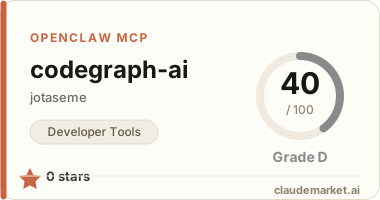
CodeGraph (codegraph-ai)
Context engine for AI coding agents. Parses your codebase with tree-sitter, builds a dependency graph, and serves structured context via MCP.
npm package:
codegraph-ai— install withnpx codegraph-ai
Works with: Claude Code, Cursor, Windsurf, Cline, and any MCP-compatible client.
Result: Your AI agent gets pre-analyzed context instead of reading raw files. 96% fewer tokens on average.
Token savings (real benchmark)
Tested on a production Next.js project (82 files, 384 symbols):
| Scenario | Without | With CodeGraph | Reduction | |----------|---------|---------------|-----------| | Understand getAllServers + relationships | 19,220 tk | 637 tk | 97% | | Understand MCPServer (40 dependents) | 40,742 tk | 1,736 tk | 96% | | Search for "server" | 4,716 tk | 475 tk | 90% | | Understand project structure | 15,145 tk | 1,047 tk | 93% | | Total (8 operations) | 126,488 tk | 5,558 tk | 96% |
At 100 operations/day: ~$136/month saved on API costs.
Run the benchmark yourself: npx tsx src/benchmark.ts /path/to/project
How it works
Your codebase
    │
    ▼
[1. INDEX]    tree-sitter parses every file
    │          extracts: functions, classes, imports, exports, types
    ▼
[2. GRAPH]    resolves imports between files
    │          builds graph: node = symbol, edge = "uses/imports"
    ▼
[3. STORE]    SQLite + FTS5 full-text search (.codegraph.db)
    ▼
[4. SERVE]    MCP server (stdio) or web dashboard
    │
    ▼
Claude Code / Cursor / Windsurf / Cline
    receives only the relevant context, not entire files
Quick start
# Index your project
npx codegraph-ai index .

# Start MCP server (for AI agents)
npx codegraph-ai serve .

# Start web dashboard (for humans)
npx codegraph-ai dashboard .

# Query a symbol
npx codegraph-ai query getAllServers

# Run token savings benchmark
npx codegraph-ai benchmark .
MCP Tools
| Tool | Description | |------|-------------| | search | Full-text search for symbols (functions, classes, types) | | get_context | Get a symbol with its dependencies and dependents | | get_file_deps | Get all imports and exports for a file | | project_overview | High-level stats: hub nodes, entry points, connections |
Setup with your AI agent
Claude Code
{
  "mcpServers": {
    "codegraph": {
      "command": "npx",
      "args": ["codegraph-ai", "serve", "/path/to/your/project"]
    }
  }
}
Cursor
Add to .cursor/mcp.json:
{
  "mcpServers": {
    "codegraph": {
      "command": "npx",
      "args": ["codegraph-ai", "serve", "/path/to/your/project"]
    }
  }
}
Windsurf
Add to MCP settings:
{
  "mcpServers": {
    "codegraph": {
      "command": "npx",
      "args": ["codegraph-ai", "serve", "/path/to/your/project"]
    }
  }
}
Recommended CLAUDE.md instructions
Add this to your project's CLAUDE.md so your AI agent uses codegraph effectively:
## CodeGraph (read before exploring code)

This project has codegraph configured as MCP server. ALWAYS follow this flow:

1. **Before any task**: call `project_overview` to understand the structure
2. **Before searching code**: call `search` instead of grep/glob
3. **Before reading a file**: call `get_context` of the symbol you need — gives you code + dependencies + dependents without reading full files
4. **To understand a file**: call `get_file_deps` first — shows imports and exports
5. **Only read full files** when you need to edit code or codegraph context isn't enough
When NOT to use CodeGraph
CodeGraph is not always the right choice. Be aware of these limitations:
- Stale index: If you don't use
--watchand change code, the agent gets outdated info and may make wrong decisions. Always useserve --watchor re-index after changes. - Small projects: For projects with <20 files, it's faster to read files directly than making MCP calls. The overhead isn't worth it.
- Editing code: When the agent needs to modify a file, it must read the full file anyway. CodeGraph helps with exploration, not editing.
- Internal logic: CodeGraph only indexes exported symbols (functions, classes, types). Comments, configuration files, internal helper functions, and business logic details may not appear. Don't rely solely on codegraph for a full audit.
Rule of thumb: Use codegraph for understanding and navigating the codebase. Use file reads for editing and deep inspection.
Dashboard
Run codegraph dashboard to open an interactive visualization at http://localhost:3000:
- Force-directed graph of your codebase
- Click nodes to see dependencies and dependents
- Search symbols with full-text search
- Filter by type (functions, types, files)
- Dark theme
Indexing performance
| Step | Time | |------|------| | Walk files | 12ms | | Parse all (82 files) | 97ms | | Store + build graph | 54ms | | Total | 163ms |
DB size: ~560 KB for 82 files / 384 symbols / 300 edges.
Supported languages
- TypeScript (.ts, .tsx)
- JavaScript (.js, .jsx)
Stack
- tree-sitter (WASM) — parsing
- better-sqlite3 — storage + FTS5
- @modelcontextprotocol/sdk — MCP server
- d3-force — graph visualization
License
MIT