Featured

Deploy OpenClaw in 60 seconds β€” 20% off logoDeploy OpenClaw in 60 seconds β€” 20% off

Launch OpenClaw on Hostinger in about 60 seconds and keep your agent live 24/7. Our referral link gives you 20% off, no coupon code needed.

Launch on Hostinger β†’
Run your Hermes agent on Hostinger, fully managed logoRun your Hermes agent on Hostinger, fully managed

Launch Hermes on Hostinger in one click, fully managed, no VPS knowledge needed. Use code ZACAARON10 for 10% off.

Launch on Hostinger β†’
Crawl and scrape any site into clean data, 10% off logoCrawl and scrape any site into clean data, 10% off

Firecrawl crawls and scrapes any site into clean markdown for your agent. Get 1,000 free credits, and new users get 10% off their first purchase.

Try Firecrawl free β†’
6,000+ web scrapers for your AI agent, start free logo6,000+ web scrapers for your AI agent, start free

Apify gives your agent live web data: 6,000+ prebuilt scrapers and actors, MCP-ready. Sign up free with $5 in usage credits.

Try Apify free β†’
One API to scrape, enrich, and extract the internet. logoOne API to scrape, enrich, and extract the internet.

Context.dev gives your agents a single API to scrape, enrich, and extract live web data β€” no proxies, no parsers, no maintenance.

Start building free β†’
SetupClaw: done-for-you OpenClaw for founders & exec teams logoSetupClaw: done-for-you OpenClaw for founders & exec teams

White-glove OpenClaw for founders and exec teams (4–50+ employees): we install, harden, integrate your tools, and maintain it β€” secured from day one.

Get it set up for you β†’
SEO data APIs for your agent, $1 free credit logoSEO data APIs for your agent, $1 free credit

DataForSEO gives your agent live access to SERP results, keyword data, backlinks, and on-page SEO data through one API. New accounts get a $1 credit, good for up to 20,000 keyword or backlink lookups.

Try DataForSEO free β†’
Reach 48,000+ AI builders

A flat monthly placement in front of developers actively installing AI tools. No lock-in, cancel anytime.

Advertise here β†’
astronomy-oracle logo

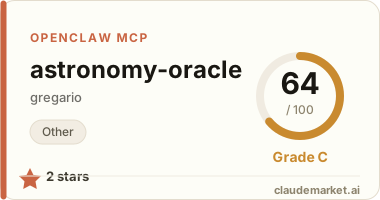
astronomy-oracle

gregario/astronomy-oracle
2 starsv0.1.0STDIORegistry activeMITUpdated 2026-05-02Community

Works with

Claude CodeClaude DesktopCursorVS CodeClineCodex CLIOpenClaw+ any MCP client

Install to Claude Code

claude mcp add astronomy-oracle -- npx -y astronomy-oracle

Summary

astronomy-oracle MCP server](https://glama.ai/mcp/servers/gregario/astronomy-oracle/badges/score.svg)](https://glama.ai/mcp/servers/gregario/astronomy-oracle) πŸ“‡ 🏠 🍎 πŸͺŸ 🐧 - Accurate astronomical catalog data and observing session planner.

Connect from your MCP client

One-click install

Add this server to your editor with a single click. Fill in any required credentials afterward.

Claude Code

Run this once and Claude Code registers the server for you:

claude mcp add astronomy-oracle -- npx -y astronomy-oracle

Claude Desktop

Add this to claude_desktop_config.json under Settings β†’ Developer β†’ Edit Config:

{
  "mcpServers": {
    "astronomy-oracle": {
      "command": "npx",
      "args": [
        "-y",
        "astronomy-oracle"
      ]
    }
  }
}

Cursor

Add this to .cursor/mcp.json in your project (or ~/.cursor/mcp.json for all projects):

{
  "mcpServers": {
    "astronomy-oracle": {
      "command": "npx",
      "args": [
        "-y",
        "astronomy-oracle"
      ]
    }
  }
}

Cline and other MCP clients

Most MCP clients accept the standard mcpServers JSON block:

{
  "mcpServers": {
    "astronomy-oracle": {
      "command": "npx",
      "args": [
        "-y",
        "astronomy-oracle"
      ]
    }
  }
}

Codex CLI

Register the server with OpenAI's Codex CLI β€” run this once, or add the equivalent block to ~/.codex/config.toml:

codex mcp add astronomy-oracle -- npx -y astronomy-oracle

# or add to ~/.codex/config.toml:
[mcp_servers.astronomy-oracle]
command = "npx"
args = ["-y", "astronomy-oracle"]

OpenClaw

OpenClaw reads MCP servers from the mcp.servers section of ~/.openclaw/openclaw.json (managed via `openclaw mcp add` or the mcporter skill):

{
  "mcp": {
    "servers": {
      "astronomy-oracle": {
        "command": "npx",
        "args": [
          "-y",
          "astronomy-oracle"
        ]
      }
    }
  }
}

README.md

<p align="center"> <a href="https://opensource.org/licenses/MIT"><img src="https://img.shields.io/badge/License-MIT-yellow.svg" alt="License: MIT"></a> <a href="https://www.npmjs.com/package/astronomy-oracle"><img src="https://img.shields.io/npm/v/astronomy-oracle.svg" alt="npm version"></a> <a href="https://www.npmjs.com/package/astronomy-oracle"><img src="https://img.shields.io/npm/dm/astronomy-oracle.svg" alt="npm downloads"></a> <a href="https://nodejs.org"><img src="https://img.shields.io/badge/node-18%2B-brightgreen.svg" alt="Node.js 18+"></a> <a href="https://modelcontextprotocol.io"><img src="https://img.shields.io/badge/MCP-compatible-purple.svg" alt="MCP Compatible"></a> <a href="https://github.com/sponsors/gregario"><img src="https://img.shields.io/badge/sponsor-%E2%99%A5-ea4aaa.svg" alt="Sponsor"></a> <a href="https://glama.ai/mcp/servers/gregario/astronomy-oracle"><img src="https://glama.ai/mcp/servers/gregario/astronomy-oracle/badges/score.svg" alt="astronomy-oracle MCP server"></a> </p>

<p align="center"> <a href="https://glama.ai/mcp/servers/gregario/astronomy-oracle"><img src="https://glama.ai/mcp/servers/gregario/astronomy-oracle/badges/card.svg" alt="astronomy-oracle MCP server"></a> </p>

Astronomy Oracle

Accurate astronomical catalog data and observing session planner for LLM assistants. Stops hallucinated magnitudes, coordinates, and visibility.

Features

  • 3 tools for object lookup, catalog search, and observing session planning
  • 13,000+ deep-sky objects from the OpenNGC catalog (NGC, IC, Messier, and addendum objects)
  • Deterministic astronomy math β€” Julian dates, sidereal time, alt/az conversion, rise/transit/set times
  • Zero network dependency β€” all data is bundled, all calculations are local

Install

Run directly with npx:

npx astronomy-oracle

Or install globally:

npm install -g astronomy-oracle

Configuration

Claude Desktop

Add to your claude_desktop_config.json:

{
  "mcpServers": {
    "astronomy-oracle": {
      "command": "npx",
      "args": ["-y", "astronomy-oracle"]
    }
  }
}

Claude Code

claude mcp add astronomy-oracle -- npx -y astronomy-oracle

Tool Reference

lookup_object

Look up a celestial object by Messier number, NGC/IC designation, or common name. Optionally compute visibility from a given location and time.

{
  "name": "lookup_object",
  "arguments": {
    "name": "M31",
    "latitude": 51.5,
    "longitude": -0.1,
    "date": "2025-06-15T22:00:00Z"
  }
}

Returns detailed object data: type, coordinates (RA/Dec), magnitude, angular size, surface brightness, Hubble type, cross-references, and (when location is provided) current altitude/azimuth with rise/transit/set times.

search_objects

Search and filter the catalog by type, constellation, magnitude range, angular size, or catalog membership.

{
  "name": "search_objects",
  "arguments": {
    "type": "PN",
    "constellation": "Lyr",
    "maxMagnitude": 12.0,
    "limit": 10
  }
}

Returns a formatted table of matching objects sorted by brightness. Supports filtering by object type (Galaxy, Planetary Nebula, Open Cluster, etc.), constellation, magnitude range, minimum angular size, and catalog (Messier, Caldwell, NGC, IC).

plan_session

Generate an observing session plan for a given location and date. Returns the best objects to observe grouped by time window.

{
  "name": "plan_session",
  "arguments": {
    "latitude": 40.7,
    "longitude": -74.0,
    "date": "2025-03-20",
    "minAltitude": 20,
    "maxMagnitude": 10.0,
    "types": ["G", "PN", "GCl"]
  }
}

Returns objects grouped into three windows (evening, midnight, pre-dawn), scored by observability based on altitude, magnitude, and angular size.

Data Sources

| Source | License | Description | | --- | --- | --- | | OpenNGC | CC-BY-SA 4.0 | NGC/IC/Messier catalog with coordinates, magnitudes, dimensions, and cross-references |

The OpenNGC data is included under the Creative Commons Attribution-ShareAlike 4.0 International License. See the OpenNGC repository for full attribution.

Development

# Run tests
npm test

# Build
npm run build

# Run in development mode (tsx)
npm run dev

# Open MCP Inspector
npm run inspect

License

MIT for code. CC-BY-SA 4.0 for OpenNGC data.

See related servers & alternatives β†’

Related MCP servers

Browse all β†’

Related guides

Hand-picked reading to help you choose and use Other servers.