<div align="center"> <picture> <img alt="AynOps Logo" src="https://raw.githubusercontent.com/AynOps/AynOps/main/.github/images/logo.svg" width="90%"> </picture> </div>
<div align="center"> <h3> A Model Context Protocol (MCP) server that gives AI Clients real-time cybersecurity reconnaissance capabilities. Instead of manually running tools across different terminals, just tell Claude "analyze google.com" and get a complete security breakdown instantly. </h3> </div>
<div align="center"> <a href="https://opensource.org/licenses/MIT" target="_blank"> <img src="https://img.shields.io/badge/license-MIT-green.svg" /></a> <a href="https://github.com/AynOps/AynOps" target="_blank"> <img src="https://img.shields.io/github/stars/AynOps/AynOps?style=social" /></a> <a href="https://github.com/AynOps/AynOps/network/members" target="_blank"><img src="https://img.shields.io/github/forks/AynOps/AynOps?style=social" /></a> <a href="https://pypi.org/project/AynOps/" target="_blank"><img src="https://img.shields.io/pypi/v/AynOps?label=version" /></a> <a href="https://github.com/AynOps/AynOps/issues" target="_blank"><img src="https://img.shields.io/github/issues/AynOps/AynOps" /></a> <a href="https://glama.ai/mcp/servers/gaoharimran29-glitch/AynOps"> <img src="https://glama.ai/mcp/servers/gaoharimran29-glitch/AynOps/badges/score.svg" /></a> <a href="https://www.python.org/downloads/" target="_blank"> <img src="https://img.shields.io/badge/python-3.12+-blue.svg" /> </a> </div>
What is this?
AI Clients by default has zero native cybersecurity tooling. No WHOIS. No DNS enumeration. No port scanning. No SSL inspection.
This MCP server fixes that — extending AI Clients with real-world security tools that run live against any domain or IP. Reconnaissance that normally requires multiple specialized tools and 20+ minutes of manual work becomes a single prompt.
This is a local MCP server — it runs entirely on your machine. Your data never leaves your computer. It is also listed on glama mcp registry.
---
Tools Available
Included in full_recon
| Tool | Description | |---|---| | whois_lookup | Domain registration data — owner, registrar, creation date, expiry, name servers | | dns_enumeration | A, AAAA, MX, NS, TXT, CNAME, SOA records + common subdomain brute-forcing | | port_scan | Nmap-powered scanner with service/version detection and security warnings | | ssl_inspect | SSL/TLS certificate — issuer, expiry, cipher strength, SANs, TLS version | | email_security_check | Checks SPF, DKIM, and DMARC DNS records — returns a security_score, rating, and actionable recommendations for missing or weak configurations | | tech_stack_detect | Web server, CMS, JS frameworks, CDN, and analytics | | cert_transparency | Query crt.sh Certificate Transparency logs for a domain and extract certificate, subdomain, and wildcard information | | asn_lookup | Autonomous System Number (ASN) and network ownership lookup via Team Cymru WHOIS — identifies ASN, BGP prefix, organization, registry, country, and allocation date for domains or IP addresses (no API key required) | | ip_reputation | Check if an IP is flagged as malicious via AbuseIPDB (api key requied) | | full_recon | Runs all core tools in parallel and returns combined result |
Standalone Tools
| Tool | Description | |---|---| | headers_analyzer | Analyzes HTTP security headers — checks HSTS, CSP, X-Frame-Options, and more with severity ratings and misconfiguration details | | cve_lookup | Search NVD for known CVEs by software name and version (no API key required) | | cloud_exposure_check | Checks for publicly accessible AWS S3, Azure Blob Storage, and Google Cloud Storage buckets using common bucket naming patterns derived from the target domain | | trace_redirects | Traces the full HTTP redirect chain hop by hop — flags TLS downgrades, private-IP leaks, redirect loops, cross-domain hops, and overly long chains | | robots_txt_inspect | Fetch and parse robots.txt to reveal hidden directories and sitemaps | | hibp_check | Check if an email or domain appears in Have I Been Pwned breaches (HIBP_API_KEY required) |
Prompts Available
| Prompt | Description | |---|---| | threat_analysis | Generate a threat analysis prompt for the full_recon tool |
---
📸 Demo
Single tool — CVE lookup
You: Look up CVEs for apache 2.4.49

Claude: Found 2 critical CVEs for Apache 2.4.49:
        CVE-2021-41773 (Score: 9.8 CRITICAL) — Path traversal vulnerability
        allowing remote code execution if CGI is enabled. Actively exploited
        in the wild...
<div align="center"> <picture> <img alt="CVE Lookup tool" src="https://raw.githubusercontent.com/AynOps/AynOps/main/.github/images/single_tool.png" width="100%" , height="70%"> </picture> </div>
Full recon
You: Do a complete security recon on reddit.com

Claude: [calls full_recon → runs all core tools in parallel → delivers full analysis]
<div align="center"> <picture> <img alt="Full recon tool" src="https://raw.githubusercontent.com/AynOps/AynOps/main/.github/images/full_recon1.png" width="100%" height="70%"> </picture> </div>
<div align="center"> <picture> <img alt="Full recon tool" src="https://raw.githubusercontent.com/AynOps/AynOps/main/.github/images/full_recon2.png" width="100%" height="70%"> </picture> </div>
---
📋 Prerequisites
- Python 3.12+ — download
- Claude Desktop — download or any other client you want
- Nmap — required for port scanning (download)
- Git — download
- uv - download
⚙️ Installation
Step 1 — Clone the repository
git clone https://github.com/AynOps/AynOps
cd AynOps
Step 2 — Create virtual environment and install dependencies
uv syncIf uv is not installed, install it using:
pip install uvStep 3 — Install Nmap
Windows:
- Download from nmap.org/download.html and run the installer
- Manually add Nmap to PATH:
- Press
Win + S→ search "Environment Variables" - Under System Variables → find Path → click Edit
- Click New → add
C:\Program Files (x86)\Nmap - Click OK on all windows
- Restart your terminal and verify:
nmap --versionMac: ``bash brew install nmap ``
Linux: ``bash sudo apt install nmap ``
Step 4 — Connect to Claude Desktop
Open your Claude Desktop config file:
| OS | Path | |---|---| | Windows | %APPDATA%\Claude\claude_desktop_config.json | | Mac | ~/Library/Application Support/Claude/claude_desktop_config.json | | Linux | ~/.config/Claude/claude_desktop_config.json |
Add this configuration:
Windows: ``json { "mcpServers": { "AynOps": { "command": "C:\\full\\path\\to\\AynOps\\.venv\\Scripts\\python.exe", "args": ["C:\\full\\path\\to\\AynOps\\server.py"], "env": { "ABUSEIPDB_API_KEY": "your-api-key-here", "HIBP_API_KEY": "your-hibp-api-key-here" } } } } ``
Mac/Linux: ``json { "mcpServers": { "AynOps": { "command": "/full/path/to/AynOps/.venv/bin/python3", "args": ["/full/path/to/AynOps/server.py"], "env": { "ABUSEIPDB_API_KEY": "your-api-key-here", "HIBP_API_KEY": "your-hibp-api-key-here" } } } } ``
⚠️ Always use the full absolute path to your
.venvPython executable — not justpythonorpython3. Claude Desktop may use a different Python installation otherwise.
Note:
ABUSEIPDB_API_KEYis only required for theip_reputationtool. Get a free key at abuseipdb.com.HIBP_API_KEYis only required forhibp_check; get a key at haveibeenpwned.com/API/Key.
Step 5 — Restart Claude Desktop
Fully quit and reopen Claude Desktop — closing the window is not enough. Check the system task manager and quit from there.
Verify tools are connected by asking Claude:
What cybersecurity tools do you have available?Claude should list all tools.
---
Alternative — Run with Docker
The repository ships a Dockerfile that installs Nmap, uv, and project dependencies so you do not need a local Python virtualenv.
Build
git clone https://github.com/AynOps/AynOps
cd AynOps
docker build -t aynops .
Smoke-test the image (stdio MCP servers speak JSON-RPC on stdin/stdout; a one-shot help/version style check is enough to confirm the process starts):
docker run --rm -i aynops
# process waits for MCP JSON-RPC on stdin — Ctrl+C to exit
Claude Desktop config (Docker)
Claude Desktop launches MCP servers as local processes. Point command at docker and pass the image via args. Use absolute paths only if you mount files; for the stock image the container is self-contained.
| OS | Path | |---|---| | Windows | %APPDATA%\Claude\claude_desktop_config.json | | Mac | ~/Library/Application Support/Claude/claude_desktop_config.json | | Linux | ~/.config/Claude/claude_desktop_config.json |
{
  "mcpServers": {
    "AynOps": {
      "command": "docker",
      "args": [
        "run",
        "--rm",
        "-i",
        "-e", "ABUSEIPDB_API_KEY=your-api-key-here",
        "-e" , "HIBP_API_KEY=your-api-key-here" ,
        "aynops"
      ]
    }
  }
}
Notes and caveats:
- stdio only — the container must stay attached (
-i). Do not use-d. - Nmap is inside the image — host Nmap is not required for the Docker path.
- Network scans need network access — default Docker bridge networking is
enough for public internet targets. Host-network mode is optional and OS-specific.
ABUSEIPDB_API_KEYis only required forip_reputation. Omit the-e
line if you do not use that tool.
- Rebuild after pulling updates:
docker build -t aynops . - On Windows, ensure Docker Desktop is running and
dockeris on PATH for the
account that launches Claude Desktop.
---
📦 Listed On
| Registry | Link | |---|---| | Official MCP Registry | registry.modelcontextprotocol.io | | Glama | glama.ai/mcp/servers/... |
🚀 Usage
Basic tool usage
Do a WHOIS lookup on example.com
Run DNS enumeration on github.com
Scan ports on scanme.nmap.org
Inspect the SSL certificate of stripe.com
Analyze HTTP security headers for github.com
Detect the tech stack of wordpress.org
Look up CVEs for apache 2.4.49
Look up CVEs for log4j 2.14.1
Check the reputation of IP 1.2.3.4
ASN Lookup for google.com
Does example.com have any exposed cloud storage?
Port scan types
| Type | Description | Speed | |---|---|---| | basic | Top 100 ports | Fast (~5s) | | service | Service & version detection | Medium (~15s) | | os | OS detection (requires admin) | Medium | | full | All 65535 ports | Slow (~5min) | | vuln | Vulnerability scripts | Slow (~30s) |
Scan scanme.nmap.org with service detectionFull recon
For getting best summarized result for the full_recon tool output, please use the prompt threat_analysis ( if your MCP client support ) by following these steps:
Note: Prompt support and automatic prompt chaining vary between MCP clients. Future client updates may improve this workflow.
For Claude Desktop:
- Start Claude Desktop
- Click on the
+icon - Click on
connectors - If the AynOps is connected, it will show the option for
Add from AynOps. - Then choose the prompt
threat_analysis - Claude will use the selected prompt to generate a correlated threat intelligence report.
After this ask this example prompt:
Do a complete security recon on scanme.nmap.orgClaude will run all core tools in parallel and deliver a full security analysis.
Follow-up analysis
Based on the recon, what are the top security risks?
What do the open ports mean from an attacker's perspective?
Is this SSL configuration strong enough for a financial services company?
Cross-reference the open ports with known CVEs for the detected services.
⚠️ Important: LLM Client Behavior
AynOps is an MCP server, which means tool execution is orchestrated by your MCP client (e.g., Claude Desktop, Cursor, VS Code, etc.), not by AynOps itself.
Tool execution may vary
Some LLM clients perform safety checks before invoking MCP tools. As a result, requests such as:
"Run a full security recon on example.com"
may be allowed in one conversation but declined in another, even when using the same server.
This behavior is determined by the LLM client, not by AynOps.
⚠️ Legal & Ethical Usage
Only scan domains and IPs you own or have explicit written permission to scan.
- All tools use public data — safe on any domain
- Port scanning should only target your own infrastructure or authorized systems
- The only public host officially permitted for Nmap testing is
scanme.nmap.org - Unauthorized port scanning may be illegal in your jurisdiction
Intended for:
- Security researchers
- Penetration testers (on authorized targets)
- Developers auditing their own infrastructure
- Students learning cybersecurity concepts
---
🗂️ Project Structure
├── .github/              # GitHub Actions workflows and templates
├── tests/                # Unit tests
├── tools/                # MCP tool implementations
  ├── prompts/            # AI prompt templates
  ├── signals/            # Signal extraction framework used by full_recon
    ├── registry.py       # Registers tools and their signal extractors
    └── extractor.py      # Executes all registered extractors and aggregates signals
├── utils/                # Shared helper utilities
├── server.py             # MCP server entry point
├── pyproject.toml        # Project metadata and dependencies
├── requirements.txt      # Python dependencies
├── mcp.json              # MCP server metadata
├── glama.json            # Glama MCP metadata
├── server.json           # MCP all tools metadata
├── Dockerfile            # Docker image definition
├── SECURITY.md           # Security policy
├── CONTRIBUTING.md       # Contribution guidelines
└── README.md             # Project documentation
---
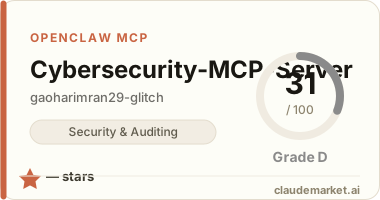
Glama MCP Scoring
<div align="left">
<a href="https://glama.ai/mcp/servers/gaoharimran29-glitch/AynOps"> <img src="https://glama.ai/mcp/servers/gaoharimran29-glitch/AynOps/badges/card.svg" /> </a>
</div>
PyPI Package
mcp-name: io.github.AynOps/AynOps <br> Link:- https://pypi.org/project/AynOps/
🤝 Contributing
Pull requests are welcome! Check contributing.md for guidelines and a list of open issues ready to pick up.
---
📜 License
MIT License — free to use, modify, and distribute.
---
👤 Author
Built by Gaohar Imran
- GitHub: @gaoharimran29-glitch
- LinkedIn: Gaohar Imran
---
⭐ If this project helped you, consider giving it a star on GitHub!