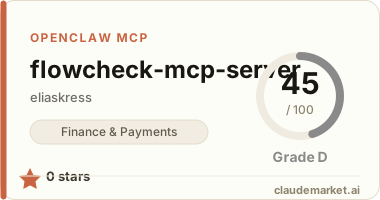
@flowcheck/mcp-server
MCP server for the FlowCheck API — give Claude, Cursor, or any MCP client access to your Stripe payouts and bank transactions.
Setup
Claude Code
claude mcp add flowcheck \
  --transport stdio \
  --env FLOWCHECK_API_KEY=fc_live_... \
  -- npx -y @flowcheck/mcp-server
Claude Desktop
Add to your claude_desktop_config.json:
{
  "mcpServers": {
    "flowcheck": {
      "command": "npx",
      "args": ["-y", "@flowcheck/mcp-server"],
      "env": {
        "FLOWCHECK_API_KEY": "fc_live_..."
      }
    }
  }
}
Cursor
Add to your .cursor/mcp.json:
{
  "mcpServers": {
    "flowcheck": {
      "command": "npx",
      "args": ["-y", "@flowcheck/mcp-server"],
      "env": {
        "FLOWCHECK_API_KEY": "fc_live_..."
      }
    }
  }
}
Environment variables
| Variable | Required | Description | |----------|----------|-------------| | FLOWCHECK_API_KEY | Yes | Your FlowCheck API key (fc_live_... or fc_test_...) | | FLOWCHECK_BASE_URL | No | Override the API base URL (default: https://developer.usepopup.com/api/v0) |
Available tools
| Tool | Parameters | Description | |------|-----------|-------------| | flowcheck_register | email | Create account (no key needed) | | flowcheck_get_registration_status | token | Check registration / retrieve API key | | flowcheck_get_balance | — | Stripe + bank balances | | flowcheck_get_cashflow | window? (7d, 30d, 90d) | Revenue, expenses, net by day | | flowcheck_list_payouts | status?, from?, to?, limit?, cursor? | Stripe payouts with match status | | flowcheck_get_payout | id | Single payout with bank match | | flowcheck_list_transactions | from?, to?, limit?, cursor? | Bank transactions from Plaid | | flowcheck_list_discrepancies | status?, type?, limit?, cursor? | Missing or mismatched amounts | | flowcheck_get_reconciliation_summary | — | 30-day financial health score | | flowcheck_get_reconciliation | payout_id | Per-payout reconciliation detail | | flowcheck_get_position | — | Full financial snapshot for AI agents | | flowcheck_get_alerts | — | Active issues and discrepancies | | flowcheck_connect_stripe | restricted_key | Connect Stripe account | | flowcheck_create_plaid_link_token | — | Start Plaid bank connection | | flowcheck_exchange_plaid_token | public_token | Complete Plaid connection | | flowcheck_list_webhooks | — | List webhook endpoints | | flowcheck_create_webhook | url, events | Register webhook endpoint | | flowcheck_delete_webhook | id | Remove webhook endpoint |
Example prompts
After connecting the MCP server, try asking:
- "What's my current balance across Stripe and my bank?"
- "Show me last week's payouts and whether they all landed in my bank"
- "Are there any missing deposits or discrepancies?"
- "What did we make this month?"
- "Give me a financial health summary"
Get an API key
Sign up at developer.usepopup.com to get your API key. 7-day free trial with 100 credits included.
License
MIT