Featured

Deploy OpenClaw in 60 seconds — 20% off logoDeploy OpenClaw in 60 seconds — 20% off

Launch OpenClaw on Hostinger in about 60 seconds and keep your agent live 24/7. Our referral link gives you 20% off, no coupon code needed.

Launch on Hostinger
Run your Hermes agent on Hostinger, fully managed logoRun your Hermes agent on Hostinger, fully managed

Launch Hermes on Hostinger in one click, fully managed, no VPS knowledge needed. Use code ZACAARON10 for 10% off.

Launch on Hostinger
Crawl and scrape any site into clean data, 10% off logoCrawl and scrape any site into clean data, 10% off

Firecrawl crawls and scrapes any site into clean markdown for your agent. Get 1,000 free credits, and new users get 10% off their first purchase.

Try Firecrawl free
Your own AI agent, running 24/7 with QwikClaw logoYour own AI agent, running 24/7 with QwikClaw

QwikClaw sets up and runs an always-on OpenClaw agent for you. One click, no config files, no server setup.

Deploy now
One API to scrape, enrich, and extract the internet. logoOne API to scrape, enrich, and extract the internet.

Context.dev gives your agents a single API to scrape, enrich, and extract live web data — no proxies, no parsers, no maintenance.

Start building free
SetupClaw: done-for-you OpenClaw for founders & exec teams logoSetupClaw: done-for-you OpenClaw for founders & exec teams

White-glove OpenClaw for founders and exec teams (4–50+ employees): we install, harden, integrate your tools, and maintain it — secured from day one.

Get it set up for you
SEO data APIs for your agent, $1 free credit logoSEO data APIs for your agent, $1 free credit

DataForSEO gives your agent live access to SERP results, keyword data, backlinks, and on-page SEO data through one API. New accounts get a $1 credit, good for up to 20,000 keyword or backlink lookups.

Try DataForSEO free
Reach 47,000+ AI builders

A flat monthly placement in front of developers actively installing AI tools. No lock-in, cancel anytime.

Advertise here

Works with

Claude CodeClaude DesktopCursorVS CodeClineCodex CLIOpenClaw+ any MCP client

Install to Claude Code

This server doesn't publish a one-line install command. Follow the setup in the source repository.

Summary

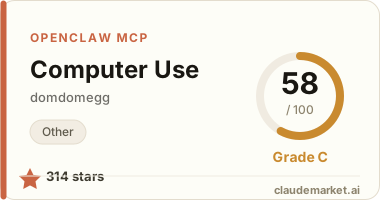
Control your computer with screenshots, mouse, and keyboard automation.

README.md

computer-use-mcp

💻 A Model Context Protocol server for Claude to control your computer. This is very similar to computer use, but easy to set up and use locally.

Here's Claude Haiku 4.5 changing my desktop background (4x speed):

https://github.com/user-attachments/assets/cd0bc190-52c4-49db-b3bc-4b8a74544789

[!WARNING] At time of writing, models make frequent mistakes and are vulnerable to prompt injections. As this MCP server gives the model complete control of your computer, this could do a lot of damage. You should therefore treat this like giving a hyperactive toddler access to your computer - you probably want to supervise it closely, and consider only doing this in a sandboxed user account.

Installation

Follow the instructions on install-mcp, which generates the right config for your MCP client (Claude Code, Claude Desktop, Cursor, Cline, VS Code, and more).

Tips

This should just work out of the box.

However, to get best results:

  • Use a model good at computer use - I recommend the latest Claude models.
  • Use a small, common resolution - 720p works particularly well. On macOS, you can use displayoverride-mac to do this. If you can't use a different resolution, try zooming in to active windows.
  • Install and enable the Rango browser extension. This enables keyboard navigation for websites, which is far more reliable than Claude trying to click coordinates. You can bump up the font size setting in Rango to make the hints more visible.

How it works

We implement a near identical computer use tool to Anthropic's official computer use guide, with some more nudging to prefer keyboard shortcuts.

This talks to your computer using nut.js

Contributing

Pull requests are welcomed on GitHub! To get started:

  1. Install Git and Node.js
  2. Clone the repository
  3. Install dependencies with npm install
  4. Run npm run test to run tests
  5. Build with npm run build

Releases

Versions follow the semantic versioning spec.

To release:

  1. Use npm version <major | minor | patch> to bump the version
  2. Run git push --follow-tags to push with tags
  3. Wait for GitHub Actions to publish to the NPM registry.

See related servers & alternatives →

Related MCP servers

Browse all →

Related guides

Hand-picked reading to help you choose and use Other servers.