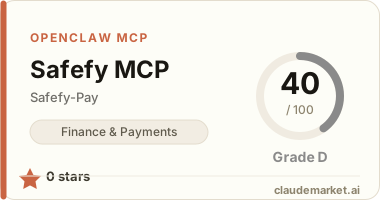
Safefy MCP
MCP server oficial da Safefy — integre cobranças PIX, saques, clientes e pagamentos diretamente em qualquer agente de IA compatível com Model Context Protocol.
Como usar no seu agente de IA
Claude (claude.ai)
Configure via claude_desktop_config.json:
{
  "mcpServers": {
    "safefy": {
      "command": "npx",
      "args": ["-y", "@safefypay/safefy-mcp"]
    }
  }
}
v0 (v0.dev)
No chat do v0, clique em "+" → "Add MCP Server" e configure:
{
  "name": "safefy",
  "command": "npx",
  "args": ["-y", "@safefypay/safefy-mcp"]
}
Lovable (lovable.dev)
Acesse Settings → MCP Servers → Add Server e cole:
{
  "name": "safefy",
  "command": "npx",
  "args": ["-y", "@safefypay/safefy-mcp"]
}
Cursor / Windsurf / VS Code
Adicione ao seu mcp.json ou settings.json:
{
  "mcpServers": {
    "safefy": {
      "command": "npx",
      "args": ["-y", "@safefypay/safefy-mcp"]
    }
  }
}
---
Após adicionar o servidor, peça ao agente para configurar suas credenciais:
"Configure minhas credenciais Safefy: public key
pk_..., secret keysk_..."
Gere suas credenciais em: https://app.safefypay.com.br/panel/merchant/api-credentials
---
O que este servidor expõe
- Assistente de integração:
- via
SDK Node(safefy-sdk-node) - via
API direta(qualquer linguagem) - Configuração/autenticação de credenciais (
/v1/auth/token) - Saldo (
/v1/balance) - Transações (
/v1/transactions) - Saques (
/v1/cashouts) - Clientes (
/v1/customers) - Pedidos (
/v1/orders) - Produtos (
/v1/products) - Payment Links públicos (
/v1/payment-links) - Requisição genérica para cobertura total da API (
safefy_payment_api_request)
Requisitos
- Node.js 18+
- Credenciais de API Payment (
Public KeyeSecret Key) - Gere no painel: https://app.safefypay.com.br/panel/merchant/api-credentials
Instalação local (desenvolvimento)
npm install
npm run build
npm start
Principais tools
safefy_payment_get_integration_guidesafefy_payment_list_capabilitiessafefy_payment_configure_credentialssafefy_payment_get_configurationsafefy_payment_authenticatesafefy_payment_api_requestsafefy_payment_get_balancesafefy_payment_create_transactionsafefy_payment_list_transactionssafefy_payment_get_transactionsafefy_payment_simulate_transactionsafefy_payment_resend_transaction_webhooksafefy_payment_create_cashoutsafefy_payment_list_cashoutssafefy_payment_get_cashoutsafefy_payment_cancel_cashoutsafefy_payment_simulate_cashoutsafefy_payment_create_customersafefy_payment_list_customerssafefy_payment_get_customersafefy_payment_update_customersafefy_payment_create_ordersafefy_payment_list_orderssafefy_payment_get_ordersafefy_payment_list_productssafefy_payment_get_productsafefy_payment_get_payment_linksafefy_payment_start_payment_linksafefy_payment_get_payment_link_status
Cobertura total da API Payment
Quando uma operação ainda não tiver tool dedicada, use safefy_payment_api_request.
Exemplo:
{
	"path": "/v1/transactions",
	"method": "GET",
	"requireAuth": true,
	"query": {
		"page": 1,
		"pageSize": 20
	}
}
Skill no .github
O conteúdo de mcp-builder foi espelhado para .github/skills/mcp-builder para uso como skill de apoio no projeto.