Featured

Deploy OpenClaw in 60 seconds — 20% off logoDeploy OpenClaw in 60 seconds — 20% off

Launch OpenClaw on Hostinger in about 60 seconds and keep your agent live 24/7. Our referral link gives you 20% off, no coupon code needed.

Launch on Hostinger
Run your Hermes agent on Hostinger, fully managed logoRun your Hermes agent on Hostinger, fully managed

Launch Hermes on Hostinger in one click, fully managed, no VPS knowledge needed. Use code ZACAARON10 for 10% off.

Launch on Hostinger
Crawl and scrape any site into clean data, 10% off logoCrawl and scrape any site into clean data, 10% off

Firecrawl crawls and scrapes any site into clean markdown for your agent. Get 1,000 free credits, and new users get 10% off their first purchase.

Try Firecrawl free
6,000+ web scrapers for your AI agent, start free logo6,000+ web scrapers for your AI agent, start free

Apify gives your agent live web data: 6,000+ prebuilt scrapers and actors, MCP-ready. Sign up free with $5 in usage credits.

Try Apify free
One API to scrape, enrich, and extract the internet. logoOne API to scrape, enrich, and extract the internet.

Context.dev gives your agents a single API to scrape, enrich, and extract live web data — no proxies, no parsers, no maintenance.

Start building free
SetupClaw: done-for-you OpenClaw for founders & exec teams logoSetupClaw: done-for-you OpenClaw for founders & exec teams

White-glove OpenClaw for founders and exec teams (4–50+ employees): we install, harden, integrate your tools, and maintain it — secured from day one.

Get it set up for you
SEO data APIs for your agent, $1 free credit logoSEO data APIs for your agent, $1 free credit

DataForSEO gives your agent live access to SERP results, keyword data, backlinks, and on-page SEO data through one API. New accounts get a $1 credit, good for up to 20,000 keyword or backlink lookups.

Try DataForSEO free
Reach 48,000+ AI builders

A flat monthly placement in front of developers actively installing AI tools. No lock-in, cancel anytime.

Advertise here

Works with

Claude CodeClaude DesktopCursorVS CodeClineCodex CLIOpenClaw+ any MCP client

Install to Claude Code

This server doesn't publish a one-line install command. Follow the setup in the source repository.

Summary

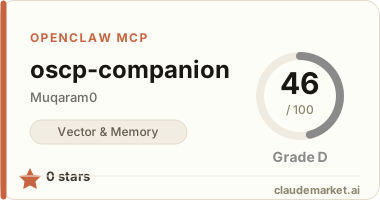
Provides structured pentesting methodology knowledge base with 7 read-only tools for searching techniques, services, and attack paths via MCP.

README.md

OSCP Companion

Structured pentesting methodology knowledge base with a web UI and MCP server for AI agents.

Educational / authorized testing only. Use only on systems you own or have explicit permission to test.

Architecture

  • Content: Markdown + YAML frontmatter in content/
  • Build: scripts/ingest.ts compiles content → public/kb.json with Zod validation and secret scanning
  • Engine: In-memory MiniSearch index with synonym expansion (no vector DB, no RAG)
  • Web UI: Next.js search + faceted filters + entry detail pages
  • MCP: 7 read-only tools via HTTP (/api/mcp) and local stdio
content/*.md  →  ingest  →  public/kb.json  →  MethodologyEngine
                                                    ├─ Web UI
                                                    └─ MCP server

Quick start

npm install
npm run ingest   # compile knowledge base
npm run dev      # http://localhost:3000
npm test         # verify sample queries

MCP tools

| Tool | Purpose | |------|---------| | search_plays | Keyword search with optional phase/os/type filters | | port_playbook | Port/service playbook (e.g. 445, smb) | | ad_paths | AD attack paths for a BloodHound primitive (e.g. GenericWrite) | | checklist | Ordered checklist steps for a phase + OS | | tool | Commands and notes for a pentest tool | | technique | Look up entries by technique name | | list_filters | Discover valid phases, OS, types, services, primitives, etc. |

Local MCP (Cursor / Claude Desktop)

{
  "mcpServers": {
    "oscp-companion": {
      "command": "npx",
      "args": ["tsx", "mcp/stdio.ts"],
      "cwd": "/path/to/oscp-companion"
    }
  }
}

Run npm run ingest before starting the MCP server so public/kb.json exists.

Remote MCP (after deploy)

Point your MCP client at:

https://your-app.vercel.app/api/mcp

Adding content

  1. Add a Markdown file under content/ with YAML frontmatter matching the schema in lib/kb/schema.ts.
  2. Use placeholders: <IP>, <USER>, <PASS>, <DOMAIN> — never commit real creds or lab secrets.
  3. Run npm run ingest. The secret scanner fails the build if AWS keys, NTLM hashes, or HTB-style IPs slip through.

Raw unsanitized notes belong in data/raw/ (gitignored).

Deploy (Vercel free tier)

npm run build   # runs ingest + next build

Connect the repo to Vercel. No database or env vars required for the default setup.

See related servers & alternatives →

Related MCP servers

Browse all →

Related guides

Hand-picked reading to help you choose and use Vector & Memory servers.