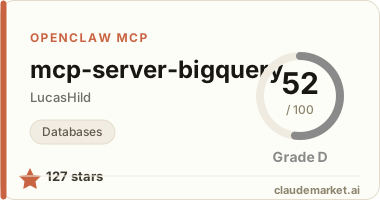
BigQuery MCP server

A Model Context Protocol server that provides access to BigQuery. This server enables LLMs to inspect database schemas and execute queries.
Components
Tools
The server implements one tool:
execute-query: Executes a SQL query using BigQuery dialectlist-tables: Lists all tables in the BigQuery databasedescribe-table: Describes the schema of a specific table
Configuration
The server can be configured either with command line arguments or environment variables.
| Argument | Environment Variable | Required | Description | | ------------ | -------------------- | -------- | -------------------------------------------------------------------------------------------------------------------------------------------------------------------------------------------------------------------------------------------------------------------------------------------------------------------------------------------------------------- | | --project | BIGQUERY_PROJECT | Yes | The GCP project ID. | | --location | BIGQUERY_LOCATION | Yes | The GCP location (e.g. europe-west9). | | --dataset | BIGQUERY_DATASETS | No | Only take specific BigQuery datasets into consideration. Several datasets can be specified by repeating the argument (e.g. --dataset my_dataset_1 --dataset my_dataset_2) or by joining them with a comma in the environment variable (e.g. BIGQUERY_DATASETS=my_dataset_1,my_dataset_2). If not provided, all datasets in the project will be considered. | | --key-file | BIGQUERY_KEY_FILE | No | Path to a service account key file for BigQuery. If not provided, the server will use the default credentials. | | --timeout | BIGQUERY_TIMEOUT | No | Maximum time in seconds to wait for a query to complete. If not provided, queries will wait indefinitely. |
Installation
Installing via Smithery
To install BigQuery Server for Claude Desktop automatically via Smithery:
npx -y @smithery/cli install mcp-server-bigquery --client claudeClaude Code
claude mcp add bigquery --scope user --transport stdio -- uvx mcp-server-bigquery --project {PROJECT_ID} --location {{LOCATION}}Claude Desktop
On MacOS: ~/Library/Application\ Support/Claude/claude_desktop_config.json On Windows: %APPDATA%/Claude/claude_desktop_config.json
{
  "mcpServers": {
    "bigquery": {
      "command": "uvx",
      "args": ["mcp-server-bigquery"],
      "env": {
        "BIGQUERY_PROJECT": "{{GCP_PROJECT_ID}}",
        "BIGQUERY_LOCATION": "{{GCP_LOCATION}}"
      }
    }
  }
}
Cursor
- Open Cursor Settings → MCP
- Click Add new global MCP server
- Add an entry for the BigQuery MCP, following the pattern below:
{
  "mcpServers": {
    "bigquery": {
      "command": "uvx",
      "args": ["mcp-server-bigquery"],
      "env": {
        "BIGQUERY_PROJECT": "{{GCP_PROJECT_ID}}",
        "BIGQUERY_LOCATION": "{{GCP_LOCATION}}"
      }
    }
  }
}