





Featured

Deploy OpenClaw in 60 seconds — 20% off logoDeploy OpenClaw in 60 seconds — 20% off

Launch OpenClaw on Hostinger in about 60 seconds and keep your agent live 24/7. Our referral link gives you 20% off, no coupon code needed.

Launch on Hostinger
Run your Hermes agent on Hostinger, fully managed logoRun your Hermes agent on Hostinger, fully managed

Launch Hermes on Hostinger in one click, fully managed, no VPS knowledge needed. Use code ZACAARON10 for 10% off.

Launch on Hostinger
Crawl and scrape any site into clean data, 10% off logoCrawl and scrape any site into clean data, 10% off

Firecrawl crawls and scrapes any site into clean markdown for your agent. Get 1,000 free credits, and new users get 10% off their first purchase.

Try Firecrawl free
Your own AI agent, running 24/7 with QwikClaw logoYour own AI agent, running 24/7 with QwikClaw

QwikClaw sets up and runs an always-on OpenClaw agent for you. One click, no config files, no server setup.

Deploy now
One API to scrape, enrich, and extract the internet. logoOne API to scrape, enrich, and extract the internet.

Context.dev gives your agents a single API to scrape, enrich, and extract live web data — no proxies, no parsers, no maintenance.

Start building free
SetupClaw: done-for-you OpenClaw for founders & exec teams logoSetupClaw: done-for-you OpenClaw for founders & exec teams

White-glove OpenClaw for founders and exec teams (4–50+ employees): we install, harden, integrate your tools, and maintain it — secured from day one.

Get it set up for you
SEO data APIs for your agent, $1 free credit logoSEO data APIs for your agent, $1 free credit

DataForSEO gives your agent live access to SERP results, keyword data, backlinks, and on-page SEO data through one API. New accounts get a $1 credit, good for up to 20,000 keyword or backlink lookups.

Try DataForSEO free
Reach 47,000+ AI builders

A flat monthly placement in front of developers actively installing AI tools. No lock-in, cancel anytime.

Advertise here

Works with

Claude CodeClaude DesktopCursorVS CodeClineCodex CLIOpenClaw+ any MCP client

Install to Claude Code

This server doesn't publish a one-line install command. Follow the setup in the source repository.

Summary

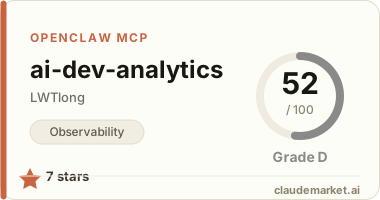
glama.ai](https://glama.ai/mcp/servers/LWTlong/ai-dev-analytics/badges/score.svg)](https://glama.ai/mcp/servers/LWTlong/ai-dev-analytics) 📇 🏠 - An open-source observability layer for AI coding.

README.md

<div align="center">

AIDA

AI 工具资产治理层 — 规则、技能、决策记忆、插件

![version](./package.json) ![license](./LICENSE) ![node](https://nodejs.org) ![tests](#验证) ![aida MCP server](https://glama.ai/mcp/servers/LWTlong/aida)

</div>

---

三大能力

1. 资产治理

扫描 .claude/rules/.cursor/rules/.codex/.aida/ 等目录,找出重复、矛盾、失效的规则和技能。所有写操作走 aida_apply_governance MCP 工具,每批 journal 一次,可通过 aida_undo 一键回滚。

核心 skill: /aida-govern(一站式)

2. 分层决策记忆

用 MADR 格式把 "为什么这段代码这么写" 记录到 .claude/rules/decisions/。Claude Code 通过 paths 前置元数据在相关文件打开时自动加载,无需手动召回。

核心 skill: /aida-remember/aida-remember-branch

3. AI 资产总览

本地 Dashboard(aida dashboard)提供 package.json 风格的资产清单:规则/技能/决策/MCP 配置/插件,一屏看完。

核心 skill: /aida-audit

---

30 秒上手(Claude Code Plugin)

/plugin marketplace add LWTlong/aida
/plugin install aida@aida

重启 Claude Code。12 个 aida-* skill 会立刻可用。

升级:

/plugin update aida

Cursor / Codex / VS Code(可选,走 MCP)

在项目根 .mcp.json 加入:

{ "mcpServers": { "aida": { "command": "npx", "args": ["-y", "aida", "mcp"] } } }

或用一键脚本:

npx aida init

---

Skill 一览

| 类别 | Skill | 用途 | |---|---|---| | 治理 | /aida-govern | 一站式:扫描 → 分析 → 确认 → 一次落盘(覆盖规则过载/任务型规则/文档冗余/跨工具重复/冲突/聚合镜像/2.x 遗留物) | | | /aida-resolve | 解决 AI 资产文件的 git 合并冲突 | | | /aida-sync | 跨工具同步:Claude ↔ Cursor ↔ Codex(你选源→目标) | | | /aida-import | 从本地目录路径安全导入外部 Claude Plugin(先审计风险) | | 只读 | /aida-audit | 扫描并梳理项目所有 AI 资产 | | 记忆 | /aida-remember | 记一条决策为 MADR,Claude Code 自动加载 | | | /aida-remember-branch | 从当前分支的 diff 批量提取决策 | | | /aida-recall | 召回之前沉淀的模块记忆 | | | /aida-analyze | 分支/功能开发完后沉淀"改了什么、为什么" | | | /aida-undo | 回滚最近一次 AIDA 写操作 | | 分享 | /aida-pkg | 打包资产为 Claude Plugin | | | /aida-ui | 打开本地 Dashboard(检查 npm 包 → 引导安装 → 给出启动命令)| | | /aida-help | 显示 skill 参考卡片 |

---

MCP 工具清单

| 工具 | 作用 | |------|------| | aida_bootstrap | 初始化 / 状态检查 / 工具授权清单 | | aida_scan_assets | 扫描所有 AI 资产 | | aida_list_assets / aida_get_asset | 浏览资产 | | aida_apply_governance | 执行治理动作(create/modify/delete/remove-lines),全部 journaled | | aida_undo | 撤销上一次治理操作 | | aida_write_analysis | 写分析报告 | | aida_memory / aida_remember / aida_recall | 读写决策记忆 | | aida_build_plugin | 打包项目资产为 Claude Plugin | | aida_build_self_plugin | 打包 AIDA 自身为 Plugin | | aida_parse_plugin / aida_audit_plugin_risk | 解析/审计外部 Plugin |

---

项目结构

.claude-plugin/
  plugin.json           # Claude Plugin 清单(本仓库本身就是 plugin)
  marketplace.json      # Marketplace 清单
src/
  assets/skills/        # 12 个 aida-* skill 源(plugin skills 字段指过来)
  core/                 # 扫描、治理、undo、memory、plugin builder
  mcp/server.ts         # MCP server
  cli/                  # aida CLI
  dashboard/            # Dashboard 前端产物
.claude/
  rules/decisions/      # MADR 决策记忆(Claude Code 自动加载)
.aida/
  cache/                # 扫描结果 + undo journal

---

验证

npm test
npm run build

See related servers & alternatives →

Related MCP servers

Browse all →

Related guides

Hand-picked reading to help you choose and use Observability servers.