Featured

Deploy OpenClaw in 60 seconds — 20% off logoDeploy OpenClaw in 60 seconds — 20% off

Launch OpenClaw on Hostinger in about 60 seconds and keep your agent live 24/7. Our referral link gives you 20% off, no coupon code needed.

Launch on Hostinger
Run your Hermes agent on Hostinger, fully managed logoRun your Hermes agent on Hostinger, fully managed

Launch Hermes on Hostinger in one click, fully managed, no VPS knowledge needed. Use code ZACAARON10 for 10% off.

Launch on Hostinger
Crawl and scrape any site into clean data, 10% off logoCrawl and scrape any site into clean data, 10% off

Firecrawl crawls and scrapes any site into clean markdown for your agent. Get 1,000 free credits, and new users get 10% off their first purchase.

Try Firecrawl free
Your own AI agent, running 24/7 with QwikClaw logoYour own AI agent, running 24/7 with QwikClaw

QwikClaw sets up and runs an always-on OpenClaw agent for you. One click, no config files, no server setup.

Deploy now
One API to scrape, enrich, and extract the internet. logoOne API to scrape, enrich, and extract the internet.

Context.dev gives your agents a single API to scrape, enrich, and extract live web data — no proxies, no parsers, no maintenance.

Start building free
SetupClaw: done-for-you OpenClaw for founders & exec teams logoSetupClaw: done-for-you OpenClaw for founders & exec teams

White-glove OpenClaw for founders and exec teams (4–50+ employees): we install, harden, integrate your tools, and maintain it — secured from day one.

Get it set up for you
SEO data APIs for your agent, $1 free credit logoSEO data APIs for your agent, $1 free credit

DataForSEO gives your agent live access to SERP results, keyword data, backlinks, and on-page SEO data through one API. New accounts get a $1 credit, good for up to 20,000 keyword or backlink lookups.

Try DataForSEO free
Reach 47,000+ AI builders

A flat monthly placement in front of developers actively installing AI tools. No lock-in, cancel anytime.

Advertise here

Works with

Claude CodeClaude DesktopCursorVS CodeClineCodex CLIOpenClaw+ any MCP client

Install to Claude Code

This server doesn't publish a one-line install command. Follow the setup in the source repository.

Summary

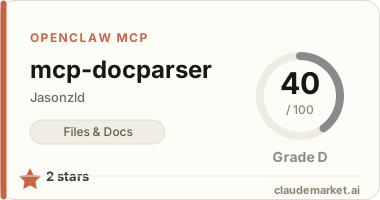
A lightweight document parser MCP server that enables Claude to parse PDFs, Word, Excel, images (OCR), and other document formats with support for chunking and metadata extraction.

README.md

🚀 MCP Document Parser - Portable Edition

一键部署文档解析工具 for Claude Desktop & CLI

📥 快速安装

Windows

install.bat

macOS/Linux

chmod +x install.sh
./install.sh

✨ 功能特性

  • 📄 PDF 文档解析
  • 📝 Word (docx/doc) 提取
  • 📊 Excel (xlsx/xls) 表格读取
  • 🖼️ 图片OCR (JPG/PNG/BMP等,支持中英文)
  • 📑 Markdown/HTML/CSV/JSON 支持
  • 🔍 文档分块处理
  • 📋 元数据提取

💾 资源占用

| 对比项 | MCP Parser | RAGFlow | |--------|------------|---------| | 内存 | ~200MB | 4GB+ | | CPU | <5% | 50-100% | | 依赖 | Node.js | Docker+WSL2 | | 启动 | 即时 | 2-3分钟 |

🔧 系统要求

  • Node.js 16+ (安装器会自动安装)
  • 支持系统: Windows/macOS/Linux
  • Claude Desktop 或 Claude CLI

📦 包含文件

mcp-docparser-portable/
├── install.bat          # Windows安装器
├── install.sh          # macOS/Linux安装器
├── package.json        # 项目配置
├── server.js          # MCP服务器
└── README.md          # 本文档

🎯 使用方法

安装完成后,在Claude中使用以下MCP工具:

1. 解析文档

使用MCP工具 parse_document 解析 "C:/path/to/document.pdf"

2. 图片OCR

使用MCP工具 ocr_image 识别 "C:/path/to/image.jpg" 中的文字

3. 提取文本

使用MCP工具 extract_text 从 "C:/path/to/document.docx" 提取文本

4. 文档分块

使用MCP工具 chunk_document 将 "C:/path/to/large.pdf" 分成1000字符的块

5. 获取文档信息

使用MCP工具 get_document_info 获取 "C:/path/to/file.xlsx" 的信息

🛠️ 手动配置

如果自动配置失败,手动添加到配置文件:

Claude Desktop (Windows)

路径: %APPDATA%\Claude\claude_desktop_config.json

Claude Desktop (macOS)

路径: ~/Library/Application Support/Claude/claude_desktop_config.json

Claude CLI (所有平台)

路径: ~/.claude/claude_desktop_config.json

配置内容: ``json { "mcpServers": { "docparser": { "command": "node", "args": ["安装路径/server.js"] } } } ``

🔍 故障排除

  1. Node.js未安装
  • Windows: 安装器会自动下载安装
  • macOS: 使用 brew install node
  • Linux: 使用 apt install nodejsyum install nodejs
  1. 权限问题
  • Windows: 以管理员身份运行
  • macOS/Linux: 使用 sudo
  1. Claude未识别MCP
  • 重启Claude Desktop/CLI
  • 检查配置文件路径是否正确

📊 性能对比

| 功能 | 速度 | 准确率 | |------|------|--------| | PDF解析 | <1秒/页 | 99% | | 图片OCR | 2-3秒/图 | 95%+ | | Word提取 | <1秒 | 100% | | Excel读取 | <2秒 | 100% |

🌟 优势

  1. 轻量级 - 无需Docker/WSL2
  2. 跨平台 - Windows/macOS/Linux通用
  3. 易部署 - 一键安装脚本
  4. 高性能 - 本地处理,无网络延迟
  5. 全功能 - 支持所有常见文档格式

📝 许可

MIT License - 免费使用和分发

🤝 贡献

欢迎提交Issue和Pull Request

---

让Claude拥有强大的文档处理能力,只需200MB内存!

See related servers & alternatives →

Related MCP servers

Browse all →

Related guides

Hand-picked reading to help you choose and use Files & Docs servers.