Featured

Deploy OpenClaw in 60 seconds β€” 20% off logoDeploy OpenClaw in 60 seconds β€” 20% off

Launch OpenClaw on Hostinger in about 60 seconds and keep your agent live 24/7. Our referral link gives you 20% off, no coupon code needed.

Launch on Hostinger β†’
Run your Hermes agent on Hostinger, fully managed logoRun your Hermes agent on Hostinger, fully managed

Launch Hermes on Hostinger in one click, fully managed, no VPS knowledge needed. Use code ZACAARON10 for 10% off.

Launch on Hostinger β†’
Crawl and scrape any site into clean data, 10% off logoCrawl and scrape any site into clean data, 10% off

Firecrawl crawls and scrapes any site into clean markdown for your agent. Get 1,000 free credits, and new users get 10% off their first purchase.

Try Firecrawl free β†’
6,000+ web scrapers for your AI agent, start free logo6,000+ web scrapers for your AI agent, start free

Apify gives your agent live web data: 6,000+ prebuilt scrapers and actors, MCP-ready. Sign up free with $5 in usage credits.

Try Apify free β†’
One API to scrape, enrich, and extract the internet. logoOne API to scrape, enrich, and extract the internet.

Context.dev gives your agents a single API to scrape, enrich, and extract live web data β€” no proxies, no parsers, no maintenance.

Start building free β†’
SetupClaw: done-for-you OpenClaw for founders & exec teams logoSetupClaw: done-for-you OpenClaw for founders & exec teams

White-glove OpenClaw for founders and exec teams (4–50+ employees): we install, harden, integrate your tools, and maintain it β€” secured from day one.

Get it set up for you β†’
SEO data APIs for your agent, $1 free credit logoSEO data APIs for your agent, $1 free credit

DataForSEO gives your agent live access to SERP results, keyword data, backlinks, and on-page SEO data through one API. New accounts get a $1 credit, good for up to 20,000 keyword or backlink lookups.

Try DataForSEO free β†’
Reach 48,000+ AI builders

A flat monthly placement in front of developers actively installing AI tools. No lock-in, cancel anytime.

Advertise here β†’

Works with

Claude CodeClaude DesktopCursorVS CodeClineCodex CLIOpenClaw+ any MCP client

Install to Claude Code

This server doesn't publish a one-line install command. Follow the setup in the source repository.

Summary

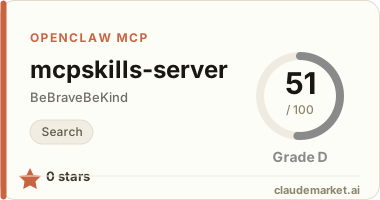
BeBraveBeKind/mcpskills-server MCP server](https://glama.ai/mcp/servers/BeBraveBeKind/mcpskills-server/badges/score.svg)](https://glama.ai/mcp/servers/BeBraveBeKind/mcpskills-server) πŸ“‡ 🏠 🍎 πŸͺŸ 🐧 - Pre-install trust layer for MCP servers, AI skills, and...

README.md

<p align="center"> <img src="https://raw.githubusercontent.com/BeBraveBeKind/mcpskills-server/main/assets/og.png" alt="MCP Skills β€” the pre-install trust layer for MCP servers and AI skills" width="820"> </p>

@mcpskillsio/server

Use the MCPSkills pre-install trust layer from inside Claude Code, Cursor, or any MCP client.

13 standard signals (15 in Skills Mode) across 4 dimensions with safety scanning for prompt injection, credential theft, and supply chain attacks. Check install risk before an MCP server or AI skill reaches your agent.

![npm version](https://www.npmjs.com/package/@mcpskillsio/server) ![MCP Registry](https://registry.modelcontextprotocol.io/v0/servers?search=mcpskills) ![License: MIT](LICENSE)

![Add to Cursor](https://cursor.com/en/install-mcp?name=mcpskills&config=eyJjb21tYW5kIjoibnB4IiwiYXJncyI6WyIteSIsIkBtY3Bza2lsbHNpby9zZXJ2ZXIiXX0%3D) ![Install in VS Code](https://insiders.vscode.dev/redirect/mcp/install?name=mcpskills&config=%7B%22type%22%3A%22stdio%22%2C%22command%22%3A%22npx%22%2C%22args%22%3A%5B%22-y%22%2C%22%40mcpskillsio%2Fserver%22%5D%7D)

Install

Claude Code

claude mcp add mcpskills -- npx @mcpskillsio/server

Cursor

Add to your .cursor/mcp.json:

{
  "mcpServers": {
    "mcpskills": {
      "command": "npx",
      "args": ["@mcpskillsio/server"]
    }
  }
}

Claude Desktop

Add to claude_desktop_config.json:

{
  "mcpServers": {
    "mcpskills": {
      "command": "npx",
      "args": ["@mcpskillsio/server"]
    }
  }
}

Tools

check_trust_score

Score any GitHub repo, npm package, or registry URL. Returns trust tier, composite score, and 4 dimension scores.

"Score anthropics/anthropic-sdk-typescript"

scan_safety

Focused safety scan for AI skills. Checks for prompt injection, shell execution, network exfiltration, credential theft, and obfuscated payloads.

"Is this MCP server safe? modelcontextprotocol/servers"

list_packages

Browse curated, pre-scored skill packages organized by use case.

"Show me safe AI skill packages for full-stack development"

get_badge

Generate an SVG trust badge URL for your README.

"Get a trust badge for my repo anthropics/anthropic-sdk-typescript"

watch_repo

Start monitoring a repo for trust score changes (requires API key).

"Watch modelcontextprotocol/servers for score changes"

check_watched

Re-scan all watched repos for score or tier changes (requires API key).

"Check my watched repos"

batch_check

Score up to 5 repos in a single call (Developer Pro or Team).

"Batch check these repos: anthropics/anthropic-sdk-typescript, langchain-ai/langchainjs"

auto_gate

Get a boolean go/no-go decision with reasoning.

"Should I install this MCP server? 21st-dev/magic-mcp"

build_stack

Recommend a vetted, pre-scored stack from MCP Skills' curated packages.

"Build me a stack: auth + payments + email"

Full Reports

Free tier returns trust tier + dimension scores (same as mcpskills.io free scans, 10/day).

For full reports (13 standard / 15 Skills Mode signals + safety findings) inside your IDE, set your API key:

export MCPSKILLS_API_KEY=your_key_here

Get your API key at mcpskills.io/api. Developer Pro is $19/mo or $149/yr. Team is $99/mo for org/security workflows.

How It Works

The server calls the mcpskills.io trust scoring API, which:

  1. Fetches repo data from GitHub API and OpenSSF Scorecard
  2. Scores 13 standard signals across 4 dimensions (Alive, Legit, Solid, Usable)
  3. Detects AI skills/MCP servers and activates Skills Mode (+2 bonus signals β€” 15 total)
  4. Runs 5 safety scans based on ClawHavoc and ToxicSkills attack patterns
  5. Assigns a trust tier: Verified (>=7.0), Established (>=4.5), New, or Blocked

License

MIT β€” Built by Michael Browne at Rise Above Partners.

See related servers & alternatives β†’

Related MCP servers

Browse all β†’

Related guides

Hand-picked reading to help you choose and use Search servers.